
How to Digitize Your Notes into Text for Studying (and Create Automatic Tests)

You've probably been told a thousand times that taking notes by hand is great for your memory. And it's true, science backs it up. Writing by hand activates more areas of the brain than typing, helping you process and retain information better.
But let's be honest: paper notes have their downsides. You can't search for a keyword with "Ctrl+F," they can get lost, wet, or even worse, your last-minute handwriting might be indecipherable. What if I told you that you can have the best of both worlds?
This is where digitization comes in. No, I don't mean just taking a simple photo of them. I'm talking about turning them into editable, searchable, and ready-to-use text for smart study tools. Let's see how to do it without pulling your hair out.
Why Digitize Your Notes? The Unexpected Advantages
Before we get into the "how," let's talk about the "why." Turning your handwriting into digital text isn't just a quirk of organized people. It's a massive upgrade for your study method:
- Instant searches: Find any concept in seconds. Goodbye to flipping through page after page looking for that formula you can't remember.
- Editing and improving: Made a mistake? Want to add new information? With digital text, you can easily correct, copy, paste, and reorganize your notes.
- Total accessibility: Have your notes on your phone, tablet, and computer. Study wherever and whenever you want.
- Study power-up: And here's the best part. Once you have the text, you can use it with apps that help you study actively, like creating automatic summaries or generating multiple-choice tests.
The Magic of OCR: Turn Your Handwriting into Digital Text
The technology that makes this possible is called OCR (Optical Character Recognition). In a nutshell, it's software that "reads" an image (a photo or a scan of your notes) and recognizes the letters and words to transform them into editable text.
Years ago, this technology was a bit clumsy, but today it's incredibly accurate, especially if you have reasonably clear handwriting. You don't need to have professional calligraphy!
Methods for Digitizing Your Notes: Choose Yours!
You don't need expensive equipment to get started. You most likely already have everything you need in your pocket.
1. Scanning Apps on Your Phone (The Easiest Option)
Your smartphone is a powerful digitization tool. There are many free apps that do an excellent job.
- Google Lens (Android & iOS): Integrated into the Google app or the camera on many Android phones. You just have to point it at your notes, select "Text," and it will let you copy it directly.
- Microsoft Lens (Android & iOS): A free and very comprehensive app. It scans documents, crops them automatically, and has a powerful OCR function to export to Word, OneNote, or PDF.
- Apple Notes (iOS): The Notes app that comes with your iPhone has a document scanning feature. Once scanned, you can select the text and copy it.
How does it work? It's super simple:
- Open the app.
- Take a clear photo of your notes in good light.
- Use the option to recognize or copy text.
- Done! Paste the text wherever you want.

2. A Traditional Scanner + Software
If you have a multifunction printer at home, you already have a scanner. This option is ideal if you want to digitize many pages at once with the highest quality.
Most modern scanners come with software that already includes OCR. Simply scan your notes as a PDF document and look for the "Recognize Text" or "Create Searchable PDF" option. Programs like Adobe Acrobat also do this wonderfully.
3. Online Tools
If you have a photo or a PDF of your notes and just need to convert it quickly, there are websites that do the job. Search for "online OCR" and you'll find many options. You just upload the file, and they give you back the text.
A quick tip: be careful about uploading sensitive information to websites you don't know. For class notes, it's usually a safe and fast option.
Now that you have your notes in digital format, the real game begins. They are no longer just words on a screen; they are the raw material for studying smarter.
Can you imagine being able to turn all that text into a multiple-choice test to quiz yourself? That's exactly what Smartests.app does. You take your digitized notes, paste them into the website, and in seconds you have a personalized test to practice active recall, one of the most effective study techniques out there.
Okay, I Have the Text. Now What?
OCR is incredible, but it's not perfect. Before you dive into studying, follow these two key steps:
Step 1: Review and Correct Spend a few minutes reading the digitized text. It's very likely that the OCR made a few small mistakes, especially with complex words, formulas, or if your handwriting is a bit "creative." A quick review will save you from confusion later on.
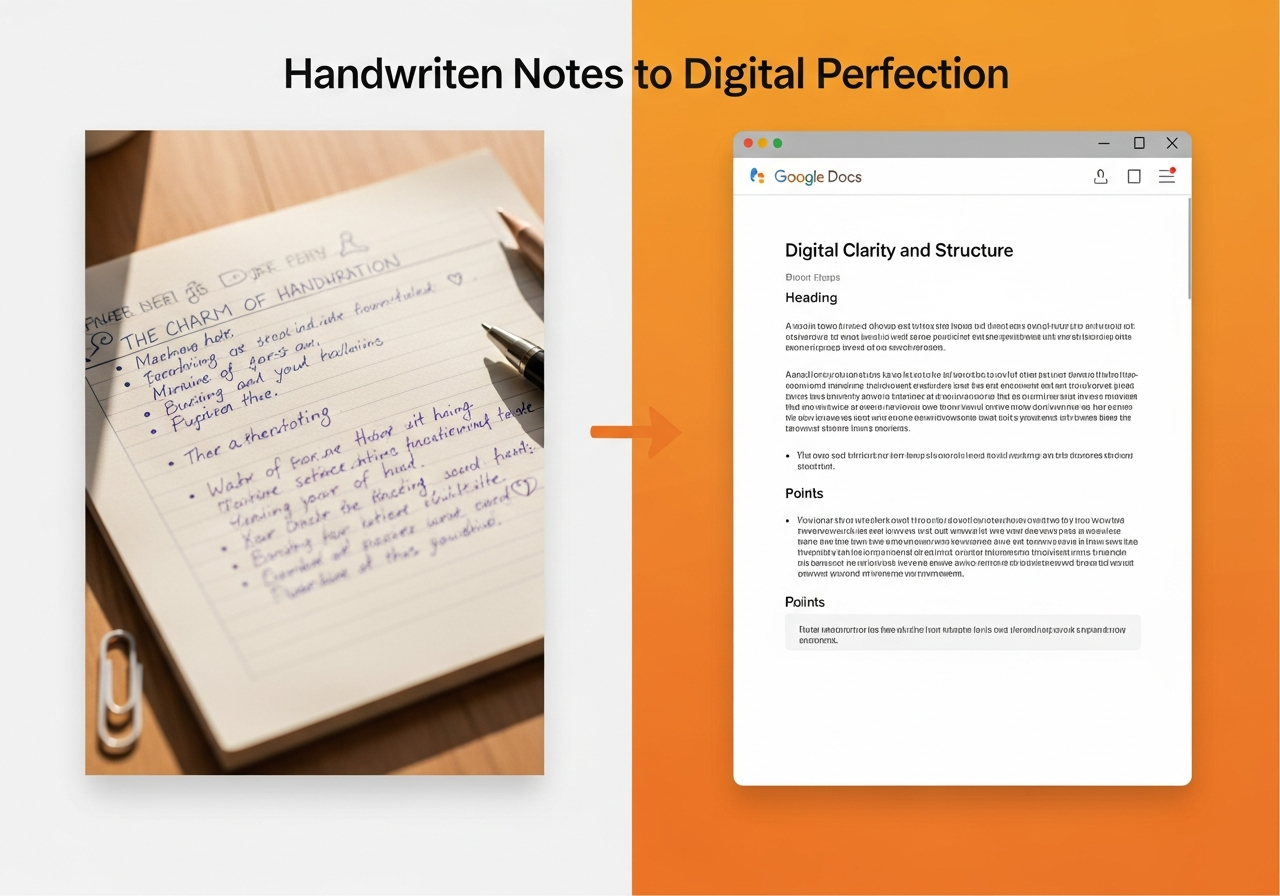
Step 2: Organize the Information Paste the clean text into a Google Docs, Word, Notion document, or your favorite note-taking app. Take the opportunity to format it:
- Use headings and subheadings to create a hierarchy for your ideas.
- Turn enumerations into bulleted lists.
- Use bold for the most important concepts.
This step not only makes your notes more readable but also helps tools like Smartests better understand the structure of your material and create higher-quality questions.
From Digital Notes to Multiple-Choice Tests with Smartests
This is where all the effort pays off. You no longer have to passively read and reread your notes. Now you can actively test your knowledge.
The process is ridiculously easy:
- Copy your corrected and organized notes.
- Paste the text directly into the Smartests.app website.
- Click "Generate Test".
- In a matter of seconds, the AI will analyze your content and create a unique multiple-choice test for you.
Doing this allows you to instantly identify which topics you've mastered and which ones you need to review. It's like having a private tutor who prepares questions specifically from what you've studied.
Quick Summary
If you skipped everything above (we caught you!), here's the gist:
- Writing by hand is cool, but digital notes are more practical for studying.
- Use OCR technology to turn your notes into editable text. The easiest way is with free mobile apps like Google Lens or Microsoft Lens.
- Once digitized, review and format the text in a document to keep it clean and organized.
- Take your digital notes a step further: paste them into Smartests.app and instantly generate multiple-choice tests to quiz yourself.
Take Your Studying to the Next Level
Stopping being a passive reader of your own notes is the biggest change you can make to improve your grades. Digitizing your notes is the first step, but the real magic happens when you use that text to actively test yourself. Smartests is designed to do exactly that: transform your study material into a practice tool.
Ready to stop memorizing and start truly understanding?