
MacBook Air M2/M3 vs. Windows Laptops: What to Buy Based on Your Major?
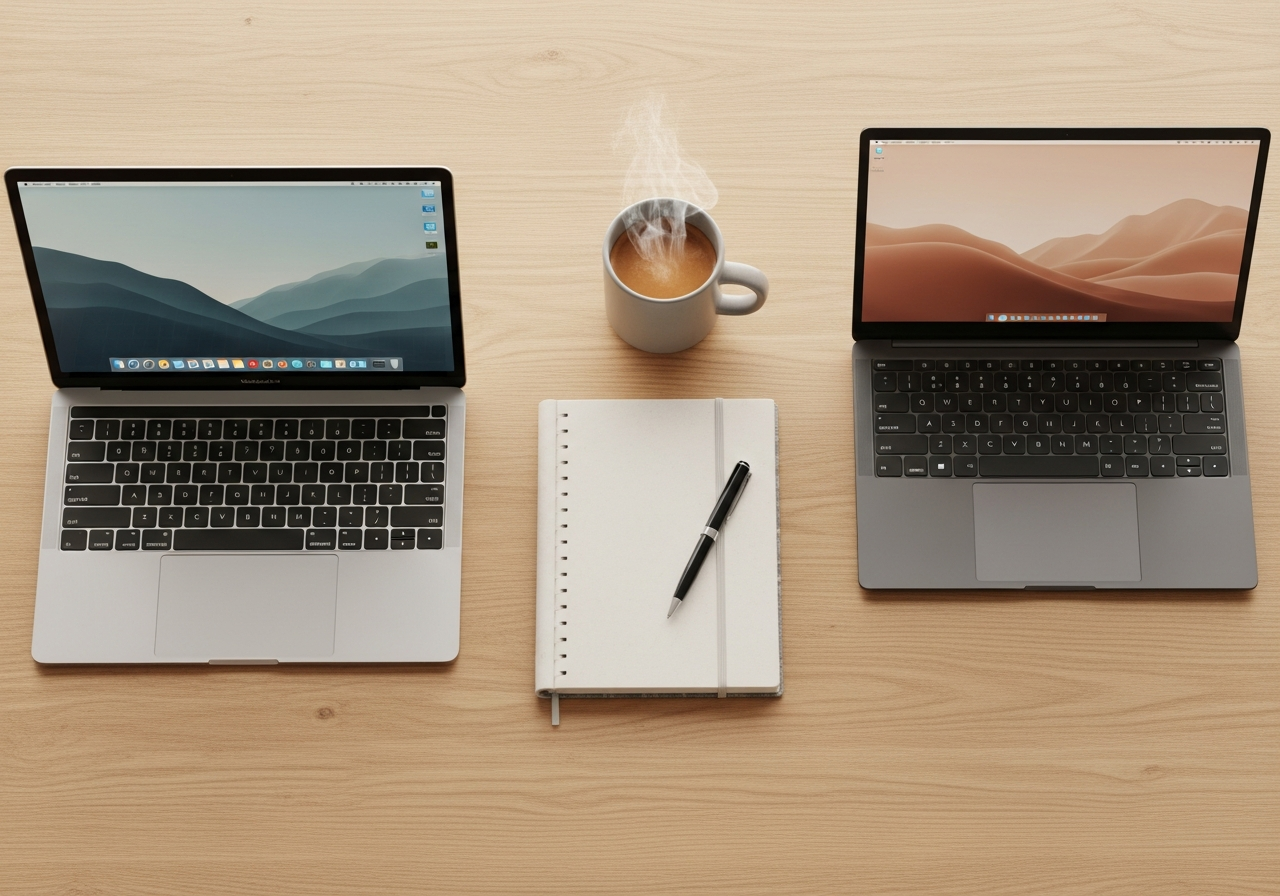
Choosing a laptop for college is one of those decisions that carries a lot of weight. It's a significant investment and it's going to be your battle buddy through years of notes, papers, and, let's be honest, the occasional TV series. The two main options are usually clear: the sleek MacBook Air or the infinite universe of Windows laptops.
But which one is better? The short answer is: it depends on you and what you're studying. It's not a question of which computer is superior in every way, but which one best fits your needs.
In this post, we're going to break down the differences so you can make the best decision, whether you're studying Philosophy or Engineering. Let's get into it!
The Great Dilemma: Ecosystem and Operating System
Before we get into specific majors, let's talk about the fundamental difference: macOS versus Windows.
- macOS (the brain of the MacBook): It's known for its simplicity, intuitive design, and security. Everything is designed to work smoothly, especially if you already use an iPhone or an iPad. The Apple ecosystem is its greatest strength: photos, files, and messages sync automatically as if by magic.
- Windows: It's the universal standard. The vast majority of the world's software is compatible with it, and you have an almost infinite variety of brands and prices (Dell, HP, Lenovo, etc.). It's more customizable and "open," which gives you more freedom to tinker, but it can sometimes be a bit more complex.
Neither is inherently better than the other; they're just different philosophies. Now let's see how this fits with your future career path.

If You're a Humanities Major (Law, History, Philology, Marketing...)
If your day-to-day consists of reading PDFs, writing essays, preparing presentations, and devouring notes, your priorities are different.
In this area, the MacBook Air (both the M2 and M3) is an almost perfect candidate. Why?
- Reliability and simplicity: You turn it on, and it just works. You don't have to worry about drivers, complex updates, or viruses. Its motto is "don't make me think," and that lets you focus on what matters: studying.
- Battery for days: The efficiency of Apple's chips is legendary. You can go to campus, take notes in all your classes, stop by the library, and you'll probably still have battery left when you get home. Forget about the charger.
- Extreme portability: It's super light and thin. Tossing it in your backpack and carrying it around campus all day is no hassle at all.
- Screen and keyboard quality: You'll spend hours reading and writing. The Retina display is a treat for the eyes, and its keyboard is comfortable and precise. Your eyes and fingers will thank you.
What about a Windows laptop? It's also a fantastic option, especially if you're on a tighter budget. For the price of a base model MacBook Air, you can find very capable Windows laptops. You'll just have to do a bit more research to find one with good battery life, a light weight, and a quality screen.
If You're a Technical Major (Engineering, Architecture, Computer Science...)
Here, things change. Your work tools aren't just a word processor and a browser. You're going to need specialized software, raw power, and, above all, compatibility.
For these types of majors, a Windows laptop is usually the safest and most powerful bet.
- Software compatibility: This is the KEY point. Programs like AutoCAD, SolidWorks, Catia, or certain structural analysis software are primarily developed for Windows. Although some have a Mac version, they often run better or have all their features available only on Windows. Before you decide, research what software you'll be using in your major.
- Graphics power: If you're studying architecture or industrial engineering, you'll need to render 3D models. For that, a dedicated graphics card (NVIDIA or AMD) is almost essential, something the MacBook Air doesn't have. Windows "gaming" laptops or mobile workstations are perfect for this.
- Power-to-price ratio: Generally, you get more CPU and GPU power for your money in the Windows world. You can get an absolute beast for compiling code or 3D modeling at a more competitive price.
Does this mean a Mac is useless? Not at all. For majors like Computer Science, a MacBook can be great because of its UNIX-based operating system. The M2 and M3 chips are very powerful, but the Air's fanless design can cause its performance to drop if you push it hard for an extended period. If you still want a Mac, you should probably look at a MacBook Pro.
Regardless of which computer you choose, what really matters is how you make the most of your study time. In the end, the goal is to absorb concepts and pass your exams, right?
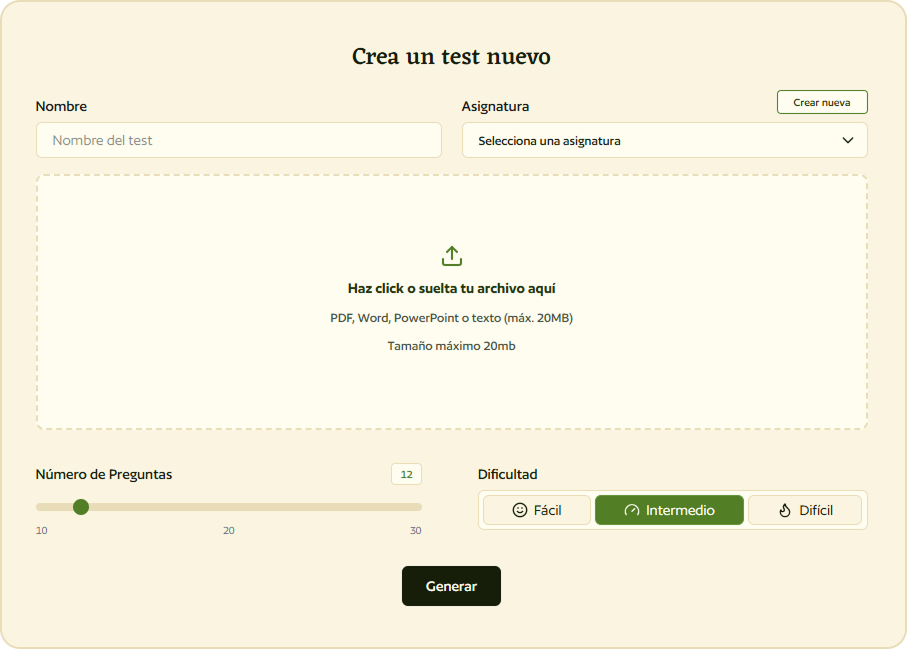
This is where Smartests.app comes in. We're a tool that transforms your notes (yes, the ones you have in PDF or Word) into multiple-choice tests in seconds. Let AI help you prepare and test your knowledge, no matter which operating system you use.
A Key Point: Smartests.app Works on Both
Maybe now you're wondering... will the test-creation tool you mentioned work on the computer I choose?
The answer is yes, without a doubt.
Smartests.app is a web application. This means you don't have to install anything. It simply works through your internet browser, whether it's Google Chrome, Safari, Firefox, or Microsoft Edge.
So don't worry about compatibility. Choose the laptop that best suits your studies and your budget. We'll take care of making sure you can study smarter from day one.
Quick Summary: Which One Should I Choose?
So you can see it all at a glance:
-
Choose a MacBook Air M2/M3 if...
- ... you're majoring in Humanities, Social Sciences, or something similar.
- ... you value simplicity, battery life, and portability above all else.
- ... you're already in the Apple ecosystem (iPhone, iPad).
- ... your budget allows for it and you're looking for a premium user experience.
-
Choose a Windows laptop if...
- ... your major is technical (Engineering, Architecture) and you need specific software that only runs on Windows.
- ... you need maximum power and a dedicated graphics card for rendering or modeling.
- ... you're looking for the best performance-to-price ratio or have a tighter budget.
- ... you like to customize your machine and have more hardware options.
Prep for Your Exams No Matter Your Laptop
Your laptop is the tool, but your study strategy is what makes the difference. Smartests.app is designed for that: to turn your hours of reading into real, measurable knowledge. Upload your notes and let our AI create tests for you instantly. It's the most effective way to check what you know and reinforce what you don't.